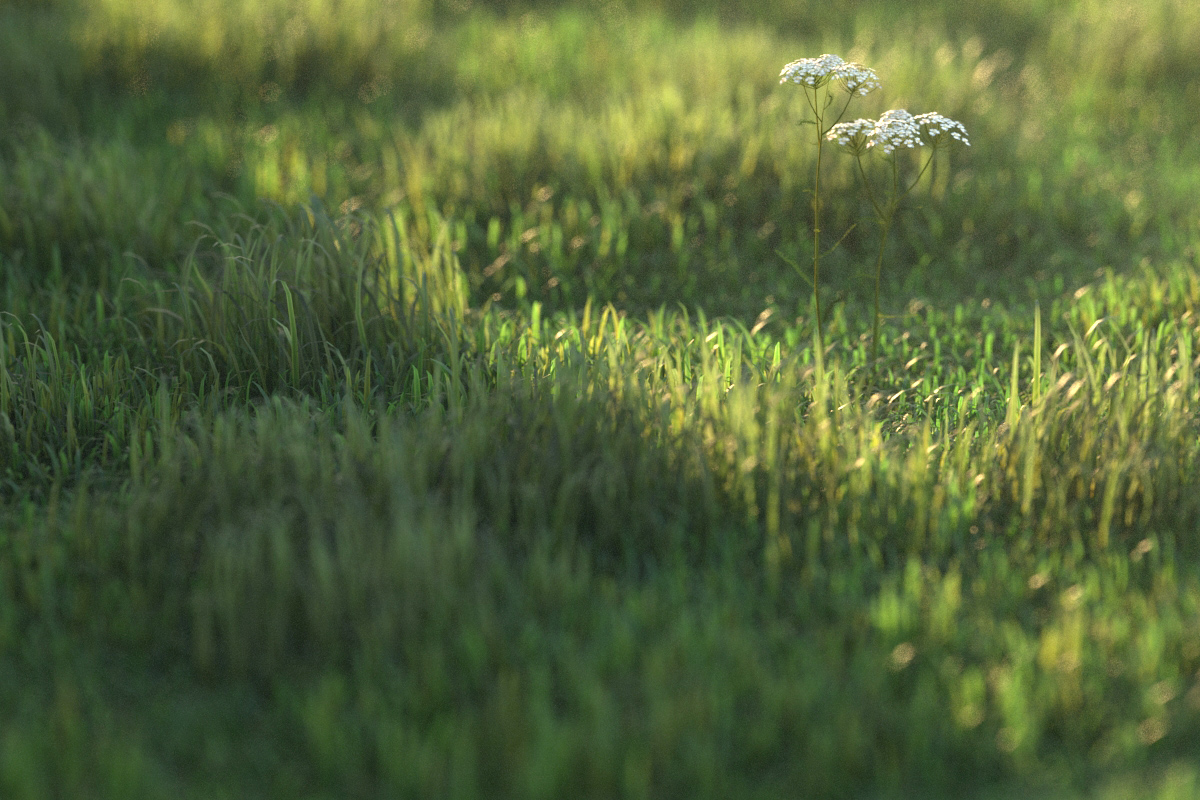
Vray grass tutorial part 2

cam02_longgrass0000View large

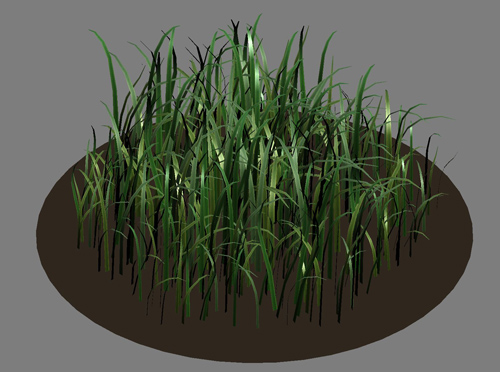
Before I get on to the material settings for the grass I’m going to show how I used similar techniques as in part 1 to make shorter grass. This time, I made 5 new individual blades, and made them a lot smaller, more random and also gave them a texture.

I made 3 lengths of grass, the longer ones had taller, less curved, blades. These were then scattered about 1000 times onto a 500mm dia. circle using advanced painter in randomize mode. The next step was to attach all blades into one editable mesh/poly and reset the xform, this seems to be vitally important before exporting it as a vrayproxy. Before I did this, the vrayproxy was using huge amounts of memory when rendering.
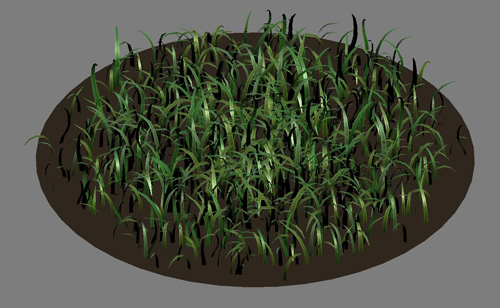
grass01

Short grass

grass02

Longer grass - some stats: approx 8000 polys per proxy x 1000 proxies = approx 8 million total polygons. 3dsmax uses about 2 gig memory for this scene and each view rendered pretty quickly considering I had vrayfog and depth of field on.

Note: I use vrayscatter (a commercial plugin but well worth the money) to scatter the proxies. There are lots of tutorials for it here. You can also use scatter by Peter Watje, advanced painter, Forest by Itoosoft, Groundwiz Planter or 3dsmax particles.

Material set up:

The main material for the grass is a multi-sub object with 3 materials within it. Each of the original 5 blades of grass were assigned one of these material IDs at random before they were scattered. Each material is a vraymaterial within a vray2sidedmaterial. Hopefully the screenshots are enough to describe the set up. The three sub materials are all essentially the same, and use the same Bitmap, but use a color correction map to subtly shift the colour (hue). The vray2sided material gives the SSS effect, and is the best option for thin geometry (no thickness) like grass and tree leaves.
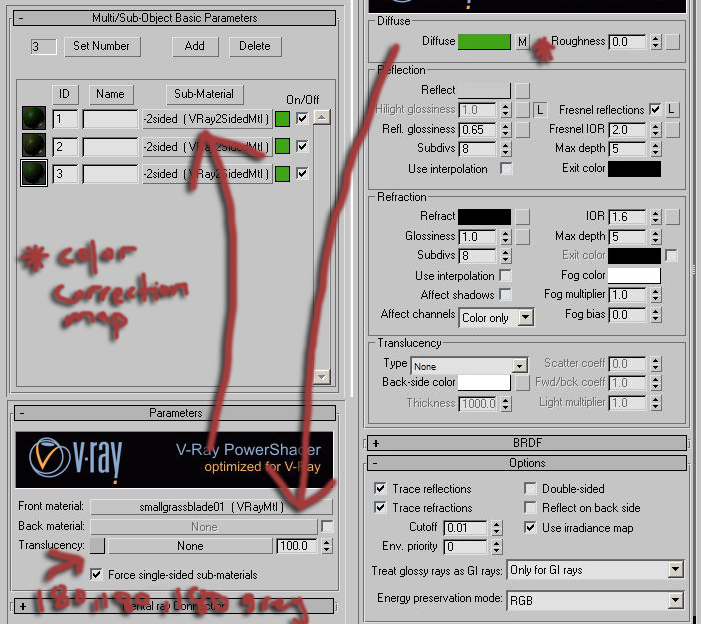
mat01psd (click for larger size)

You can optionally try turning off ‘trace reflections’ to try speeding things up. This means the grass will still pick up highlights from the sun, but won’t pick up proper reflections, like the colour of the sky. I found the speed increase to be hardly noticeable in my tests, and it just didn’t look as good.

cam01_longgrass0000View large

cam01_clover0000View large

cam02_cloverView large

UPDATE:

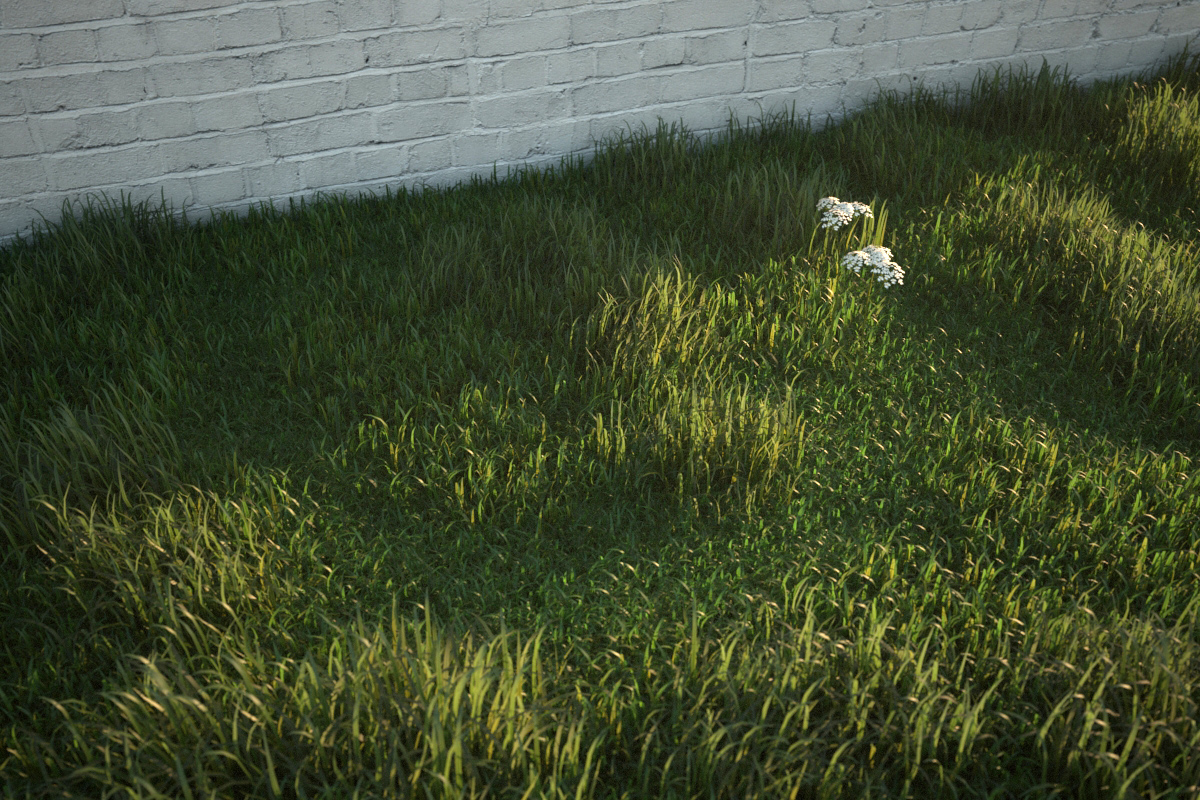
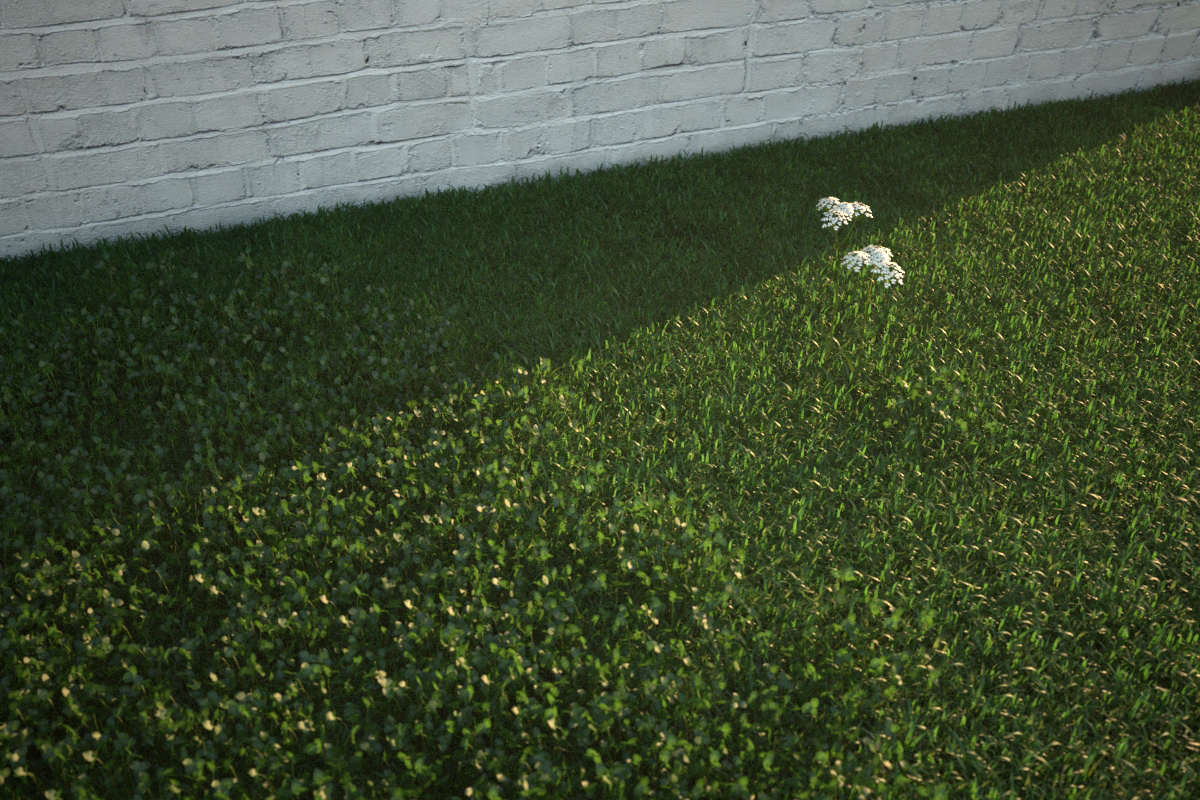
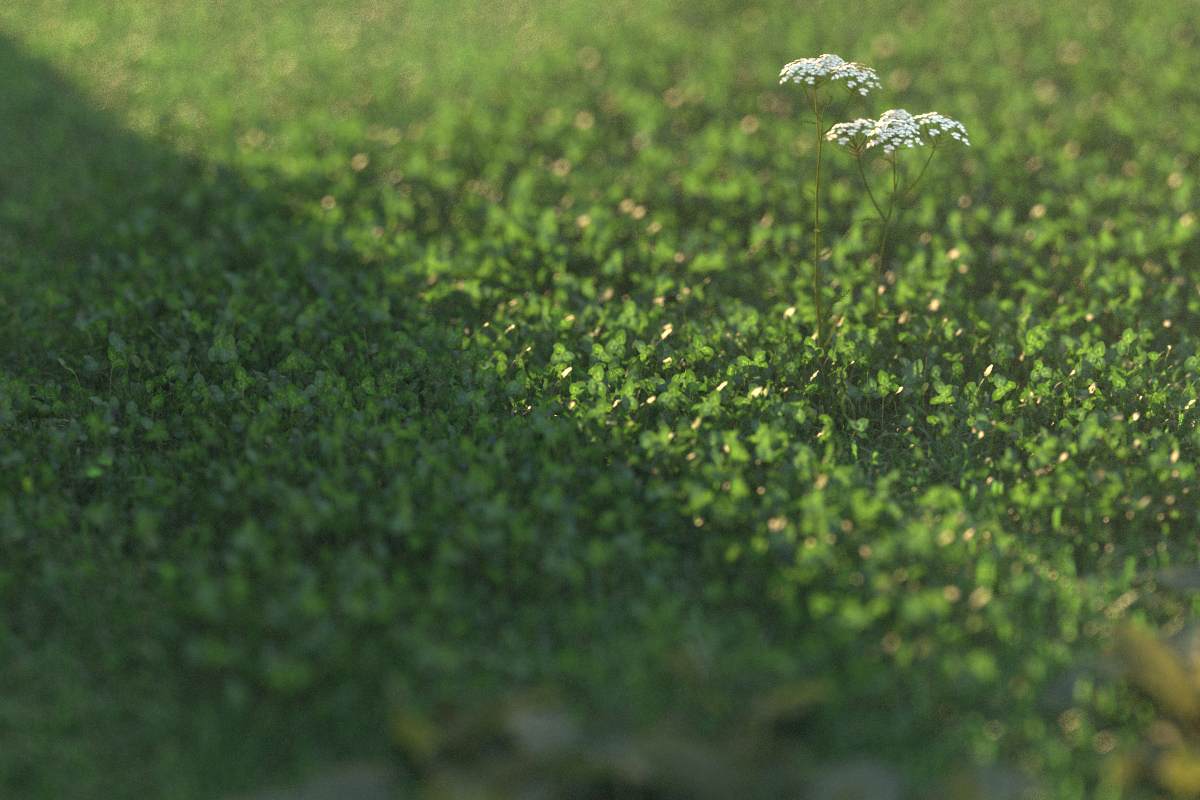
There’s nothing special about my render settings or scene set up for this scene, just a vraysun & sky, vrayphysical camera and my usual colour mapping settings. To make the renders look a bit more interesting I decided to play a bit with sun and shadow, and also back lit the grass so that the transparent effect was evident. As you can see from the screengrab below, I have the sun coming from slightly behind the brick wall, and it is also very low in the sky. When experimenting with materials it’s very important to set your scene up to mimic an effect you would see in the real world.
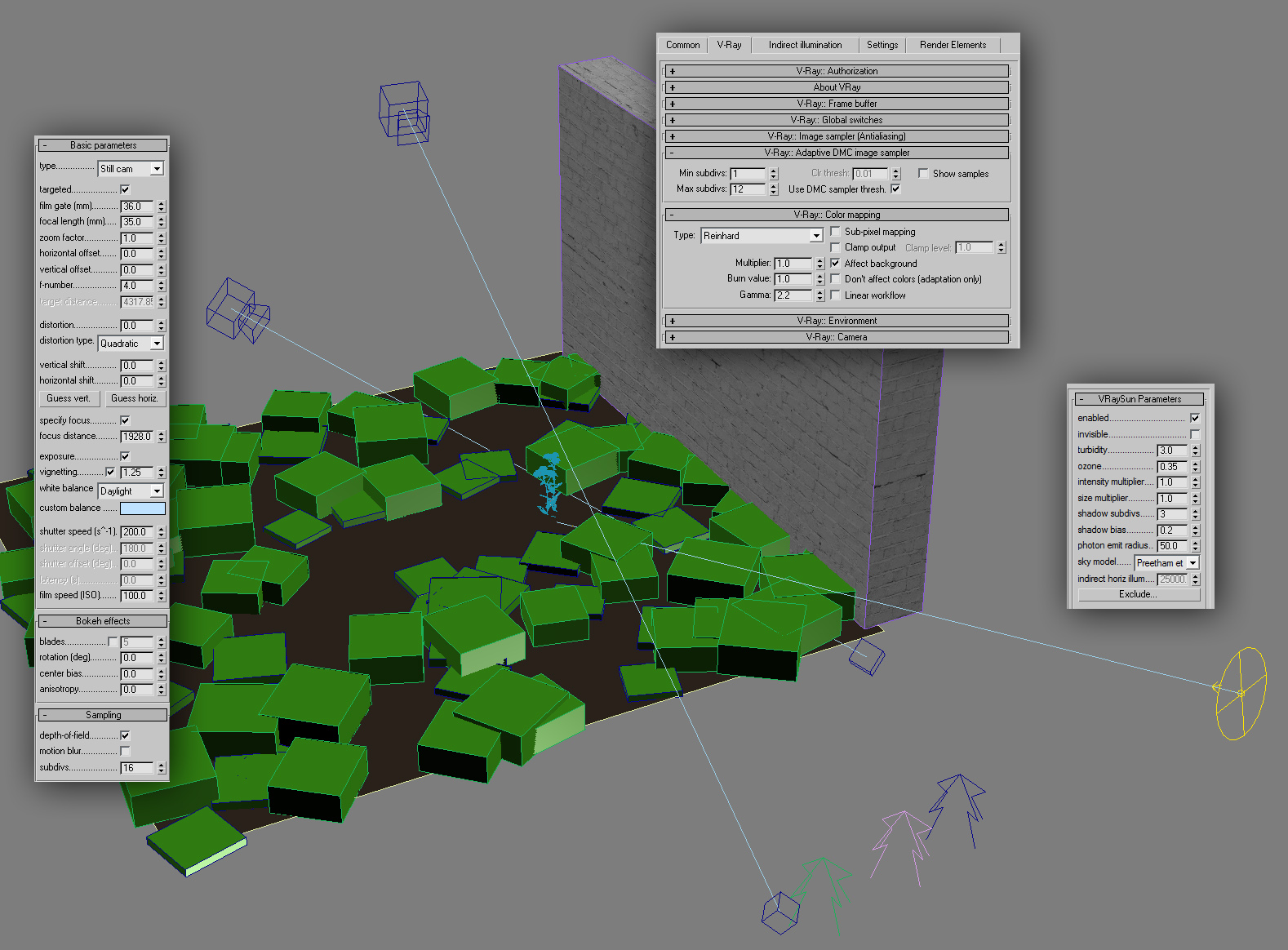
grass set up
Click image for full size

If you are interested in downloading an example scene, please visit the tutorials section of vray.info and navigate to the 2nd part of my grass tutorial.

Tags: , ,

Comments

  1. oops, thanks for the heads up kyz. I have replaced the zip with one that includes the vrmesh file.

  2. I am so excited with your grass tutorials and others! Thank you! Keep posting!

  3. thank you very much for this second part of grass, elite tutorials no doubts!!

    one question about the IDs, i understand that you applied those to different blades before using Adv. Painter plugin, is’t like that?

    a second one if you dont mind…in the material settings you have Fresnel on, 2.0, Reflect either in grey?¿ and in “options” tab deactivated “2 sided”?¿

    thanks again!!

    Best regards

  4. Hi Peter, great tutorial! How long did your render take roughly? Mine was up to 2.5 hrs? Is this right? I am running windows xp with 3 gig ram

  5. Hi Peter, this is amazing work!!!!!!!!!! great tutorials but pls tell me vray camera zoom blur ? its niceee

    thanks yaar

  6. Hi Sajan, the blur effect is just the vrayphysicalcamera depth of field effect

  7. Hi there Peter,

    Thanks for a great tutorial. I just have one question, what color did you make the ground?
    I’ve noticed that this does matter a lot, and it tends to get dark if you really use a dirt material.
    What’s your opinion on this?

    Thanks again,

    Kind regards,
    Roland Peelen

  8. If your grass is dense enough it should be enough to make it a sort of dark brown colour.

  9. Shekhar

    Hello Peter,

    Wonderful tutorial indeed.Thank you for sharing it.

    I was trying to open your file: vray.info grass.max but I get DLL error:
    ” FileName: mtl.dlt Class: ColorCorrection SuperClass:0xC10 ”

    Any idea what is causing this?

    I am using:
    - 3d Studio Max 9.0
    - Vray 1.50 SP1

    Hope to hear you soon.

    Thank you for your time.And lookforward to see more new stuffs!
    Good Luck.

    Regards,
    Shekhar

  10. Shekhar

    I got it I guess…I am using 3d Max 9.0 and your scene file is of 2009.

  11. Hi peter, im trying to get your file but i think the link is broken, can you check please?
    thanks!

  12. If the file link breaks then best to go to vray.info and find it there instead

  13. Hi Peter, I also tried to get a Your file, but i have a information “This Drop is Unavailable”. Please look on this. Thank You/Kuba

  14. like I said, try vray.info

  15. nice & thanks…………………….

  16. Wonderful tutorials, not only this one but all of it! I’m just amazed at how good you are. Thank you very much for sharing your techniques. Hope to get better like you.

  17. double_1900

    ooooh very very nice, wonderful photo realistic render. wonderful tutorials thanks

  18. Awesome results. Unfortunately I can’t use the file but will try and manually make the grass.

  19. dzejdzej

    i have a question about flowers. Did you make it by own or download from somewhere? If second option, could you share with link?

  20. Dadi Dindul

    Hallo Peter…..really been inspired by ur work…..and d fact that u’re a sketchup user makes it sound awesome…..got a few questions for u though….

    1. sketchup as tight as it is, gives rigidity to organic modelling…say u have an undulating site with paths and whatnots….just interested, do u model such landscapes in sketchp? or u flip to max to do that….

    2. i tried out this tutor u have here and a lot of others and they work GREAT!!!! my only problem is when i import my vrmesh (tree,plants etc) using vrayscatter, they come in a monotonous color…..that assigned by max…any solutions?

    3. THANX A LOT!!!!! ii fink that sums it all…. :)

  21. hi peter, about the material settings:

    i´ve bought XFrogPlants Groundcover (i guess you have them too) and they use standard max materials instead of vray2sided. Do you think it is worth do change all the materials to vray2sided? would be a lot of work :-(

  22. Hi Michel, I normally convert all materials to vray materials, and for leaves and thin things I make them 2sidedmaterials. Quite a lot of work I know!

  23. @dadi dindul

    Sketchup is great for landscapes! The sandbox tools are normally the first step, then I suggest you search for the joint push pull plugin/script which is very handy for pavements and paths

    There are so many useful plugins for sketchup, heres an example of a new one: http://sketchuptips.blogspot.com/2010/06/plugin-fredos-curviloft-10a-beta-now.html

    2. When making proxies, ensure your mesh has just 1 multi sub-object material before you create it (so the model has correct matieral IDs) then apply that same material when you load the proxy

  24. Dadi Dindul

    @ Peter :

    Thanx a lot…..already got the scripts and they’re fantastic…..and i tried out the hint on proxy …works great too……still for the trees….my mats for the trunk still mixes with some of my leaves wheen applied….so i had to seperate the leaves, trunks and branches and export as diff vrmeshes :( ….. Does it hve anything to do with the mat id channel under the editmesh modifier panel?

  25. hi, yes it has everything to do with mat id channel! you need to make sure all parts of your trunk have the right mat id. If in doubt you can drop a material modifier on top and set the mat id that way

  26. Your a high quality pro d. Thx

  27. im mongolia thanks

Leave a Comment